Everveil Controls: The Complete Official Keyboard List
The complete official Everveil keyboard control list: movement, combat, weapon switching, menu shortcuts, mounts and emotes, exactly as published by the developer.
Everveil's developer publishes the game's complete keyboard control list right in the game description on its official Roblox page, and the same list is what the Roblox Games API returns for the game. That makes Everveil one of the Roblox RPGs whose controls are documented by the studio itself rather than pieced together from forum posts. Below is the full official list, followed by what each group of keys actually does for you in game.
Quick answer
Everveil's official keyboard controls: WASD and Space to move and jump, Left Click to attack, and single-key shortcuts for everything else — sprinting, blocking, weapons, menus, potions, mounts and contextual actions. The four groups below cover every official binding.
- Movement: WASD, Space to jump, hold Shift to sprint, Ctrl for Shift lock
- Fighting: Left Click to attack, 1/2/3 to switch between sword, staff and tool, Z X C V for sword moves or spells, Q to dash, F to block
- Menus: M inventory, H drink potion, J journal, K codex, G map, N talents, ` emote
- Actions: E to interact, R to mount or dismount, Y to Finish, T to Carry
The complete official control list
Every binding below is taken verbatim from the official list published by Everveil official, the developer group behind the game:
Data table
- Key
- WASD
- Action
- Move
- Key
- Space
- Action
- Jump
- Key
- Left Click
- Action
- Attack
- Key
- 1 / 2 / 3
- Action
- Sword, staff, tool
- Key
- Z X C V
- Action
- Sword moves or spells
- Key
- Q
- Action
- Dash
- Key
- F
- Action
- Block
- Key
- Shift (hold)
- Action
- Sprint
- Key
- Ctrl
- Action
- Shift lock
- Key
- E
- Action
- Interact
- Key
- R
- Action
- Mount
- Key
- M
- Action
- Inventory
- Key
- H
- Action
- Drink potion
- Key
- J
- Action
- Journal
- Key
- K
- Action
- Codex
- Key
- G
- Action
- Map
- Key
- N
- Action
- Talents
- Key
- Y
- Action
- Finish
- Key
- T
- Action
- Carry
- Key
- ` (backtick)
- Action
- Emote
Movement and interaction
Two keys cover the basics of getting around: WASD moves your character and Space jumps. On top of those, standard Roblox keyboard-and-mouse navigation applies — third-party Everveil guides point out that the game handles movement like any other Roblox game on PC, and on mobile you navigate with touch controls instead of a keyboard.
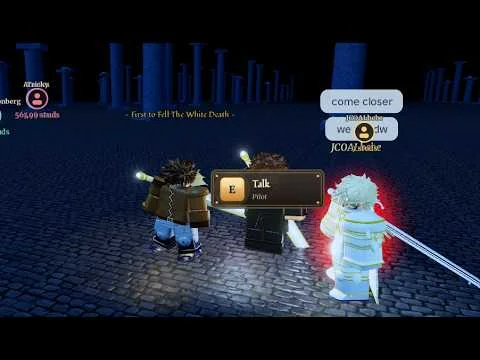
E is your Interact key for whatever you walk up to in the world, and Shift sprints — the official list marks it as Shift (hold), so you keep the key pressed rather than tapping it. Ctrl is mapped to Shift lock, Roblox's standard camera mode.
Combat controls
Combat starts with Left Click to attack. The 1, 2 and 3 keys switch between your three gear slots — sword, staff and tool — so changing weapons is a single keystroke instead of a trip through menus. With a sword or spells equipped, Z, X, C and V trigger your sword moves or spells; what those spells do depends on your element, which the Everveil spells guide breaks down in detail.
Two keys keep you upright: Q dashes you out of trouble and F blocks. Sprint (Shift, held) and Ctrl for Shift lock round out the combat inputs on the official list, sitting alongside the attack and weapon keys. If you want to see how these inputs play out in real fights, the Everveil combat guide covers the fighting side of the game.
Menu shortcuts
Everything outside combat opens with a single letter: M for Inventory, J for Journal, K for Codex, G for Map and N for Talents. The Map is worth memorizing early — Everveil is built around exploring a big world at your own pace, and the map page helps you make sense of what G shows you. When you earn talent points, N opens Talents, covered in the talents guide.
H is the one shortcut that acts instead of opening a panel: it drinks a potion on the spot, which is exactly what you want the key to do. The potions page explains what you are drinking.
Mounts and contextual actions
R handles mounts: press it to climb onto your horse and press it again to dismount. The official list rounds out the action keys with Y for Finish and T for Carry — contextual actions you trigger when the situation calls for them.
A community tips guide offers a practical rhythm for the mount key: ride the horse (R) for commuting across long distances, then dismount when a fight demands precision. That is player advice rather than an official rule, but it fits how the key works — R toggles you on and off the mount. The Everveil mounts and horse riding pages cover the mounts themselves.
The emote wheel
Press ` — the backtick key directly under Esc — to open the emote wheel, which offers 13 dances. There is no keyboard gymnastics required on mobile either: phones get an on-screen Emote button that opens the same wheel. Both routes come from an official Everveil community update introducing the feature.
If the keys do something else, check your game
Everveil is not the only Roblox game using the name, and third-party guides for this RPG flag a specific tell. This Everveil — the Roblox RPG by Everveil official — does not use the Q/E/R/T/Y "Stand" or "Spec" ability keybinds found in other games titled Everveil. If pressing E or Q triggers a "Barrage" or "Ultimate" move tied to a "Stand" entity, you have loaded a different game. The RPG version instead focuses on traditional inventory interaction and skill-based progression, which is exactly what the M, J, K, G and N menu keys above are for.
Where to go from here
With the official bindings in hand, the Everveil beginner guide is the natural next stop for first steps in the game.
Related Guides
Combat Guide: Every Combat Action
Every combat key explained, from attack and sword moves to dash, block, sprint and potions, combined into a real fight plan.
How to Cast Spells
Master the Z, X, C and V ability keys and see how your element decides the spells you cast in combat.
Mounts: The Horse (R Key)
Mount the horse with R, use it for commutes between objectives, and dismount for combat precision.